Managing discovered accounts
Discovered, onboarded and quarantined accounts are available in the main view.
Note
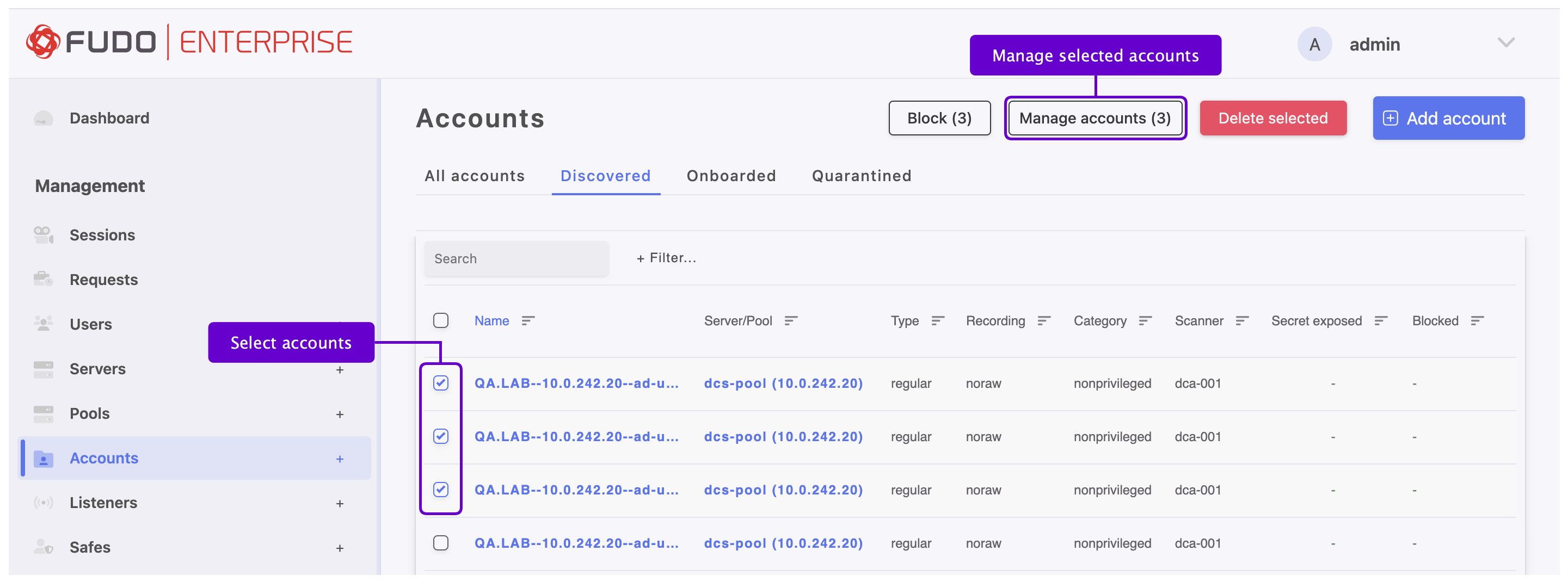
Usually, discovered accounts are not onboarded automatically due to a lack of automatic rule in the system. Administrator can manually onboard them by choosing the Manage Accounts option.
- Select > and respectful tab: , or .
- Choose the accounts to be onboarded or quarantined by selecting the respective checkboxes next to their names.
- Click on the option on the top of the functional menu - a modal will pop up.
- Choose an action:
4.1 Send to quarantine (remember to add a reason) or
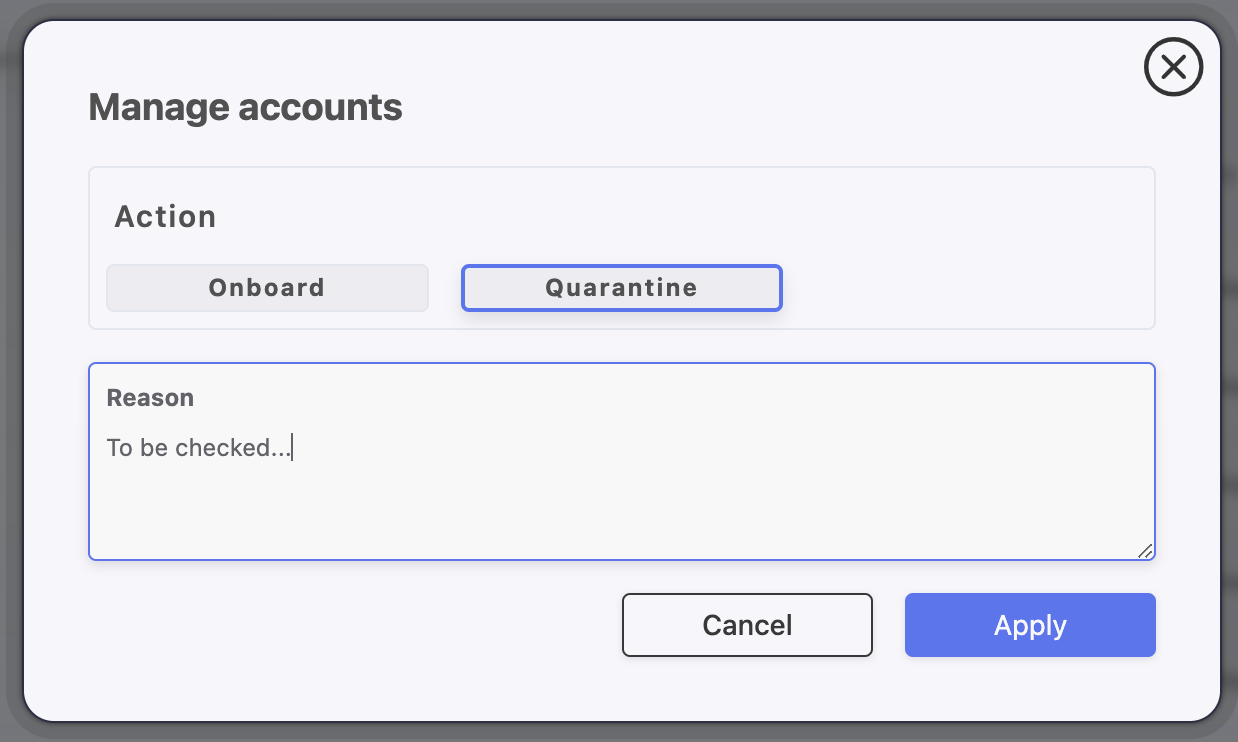
4.2 Onboard by adding the discovered accounts to the Safe and/or Listener. Warning: The listeners with bastion mode are supported only.
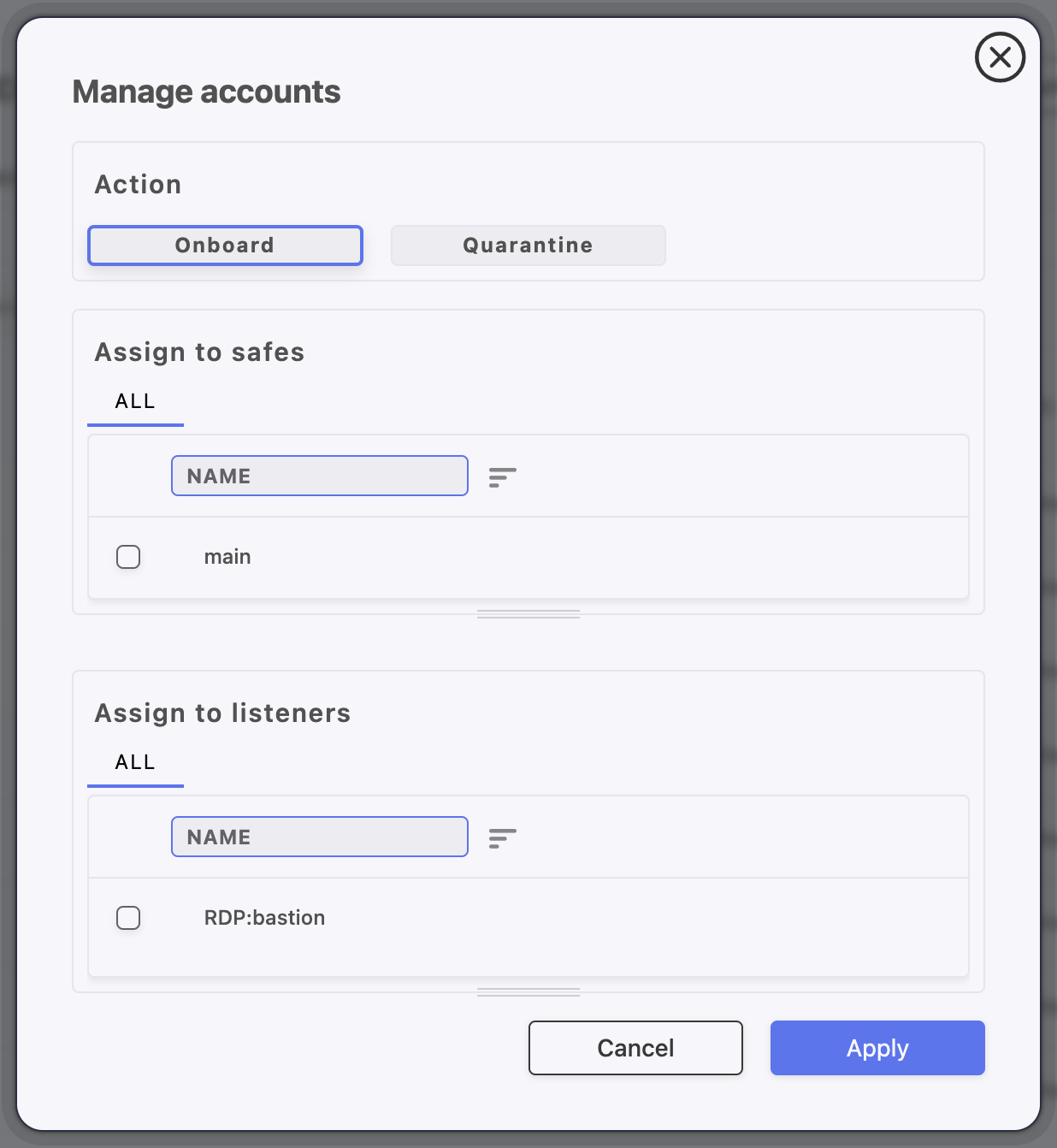
- Click on a Create a rule checkbox if you want to set the defined actions to be executed automatically by the scanner in the future.
- Click .
Related topics: