Setting up the Telnet 5250 listener
This section describes how to setup Telnet 5250 listener. To learn first steps of creating listener, please follow Creating a listener section.
- Go to Settings tab, press the Show all button to expand supported protocols list.
- Press button in the Protocol field.
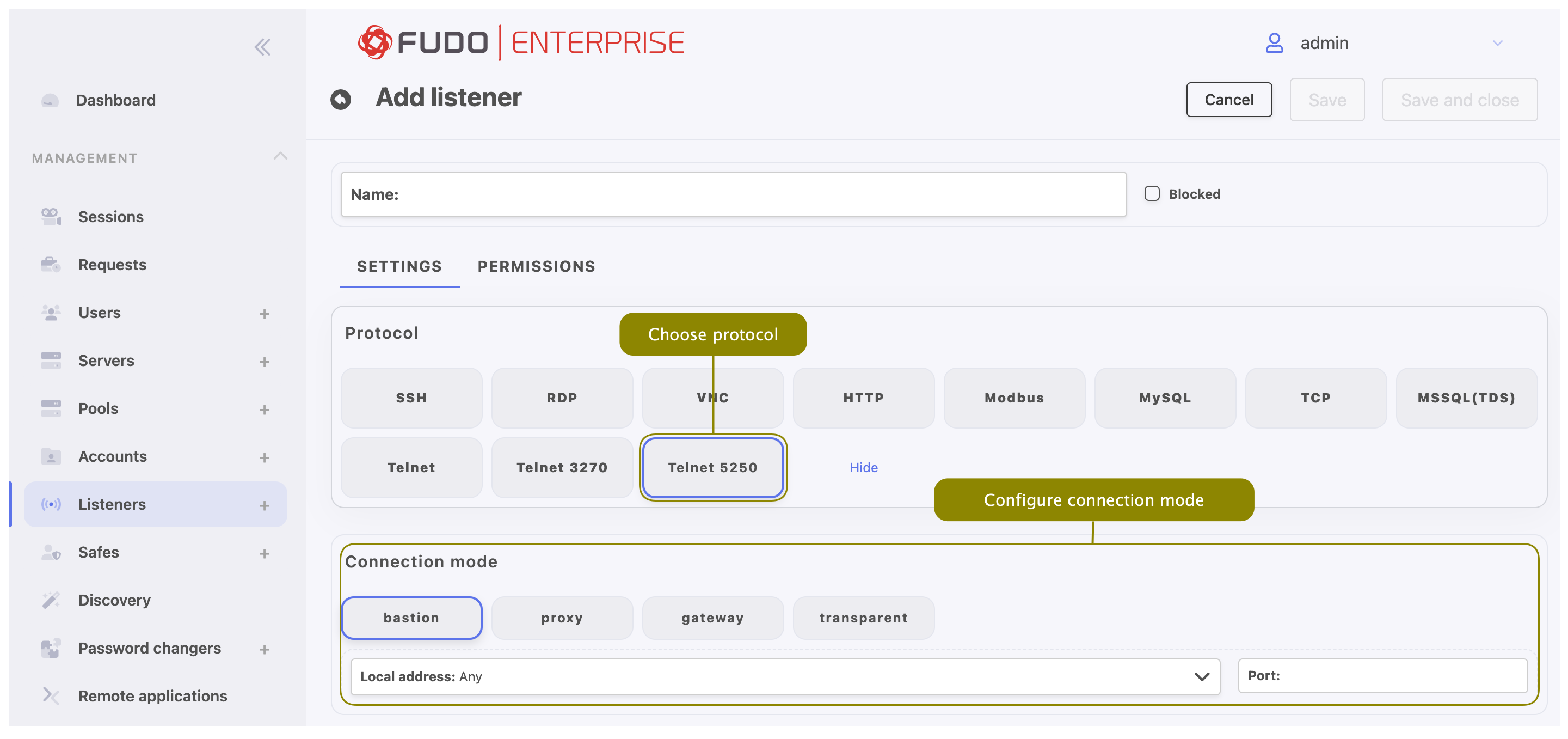
- In the Connection mode section, select desired connection mode.
bastion
Note
- User connects to the target host by including name along with account login on the target server and target server address in the login string, e.g.
john_smith#root#192.168.0.110.- For details on bastion connection mode, refer to Connection modes topic.
- Select button in the Connection mode field.
- Select the the IP address from the Local address drop-down list and enter port number.
proxy
Note
User connects to the target host by providing Fudo Enterprise IP address and port number which unambiguously identifies target host.
- Select button in the Connection mode field.
- Select the the IP address from the Local address drop-down list and enter port number.
Note
- The Local address drop-down list elements are IP address defined in the Network configuration menu (Network interfaces configuration) or labeled IP addresses (Labeled IP addresses).
- Selecting the
Anyoption will result in Fudo listening on all configured IP addresses.- In case of cluster configuration, select a labeled IP address from the Local address drop-down list and make sure that other nodes have IP addresses assigned to this label. For more information refer to the Labeled IP addresses topic.
gateway
Deprecated since version 5.4
Fudo Enterprise 5.4 is the last version supporting gateway mode in the listeners configuration. Listeners using this mode must be reconfigured to use proxy and bastion modes before upgrading to the next release.
Note
User connects to the target host by providing its actual IP address. Fudo Enterprise moderates the connection with the remote host using own IP address. This option requires deploying Fudo Enterprise in the bridge mode.
- Select button in the Connection mode field.
- Select the network interface used for handling connections over this listener.
transparent
Deprecated since version 5.4
Fudo Enterprise 5.4 is the last version supporting transparent mode in the listeners configuration. Listeners using this mode must be reconfigured to use proxy and bastion modes before upgrading to the next release.
Note
User connects to the target host by providing its actual IP address. Fudo Enterprise moderates the connection with the remote host using user’s IP address. This option requires deploying Fudo Enterprise in the bridge mode.
- Select button in the Connection mode field.
- Select the network interface used for handling connections over this listener.
- Click .
Related topics: