Accessing Collection Editing
Collections can be edited to modify their properties, manage permissions, assign users and roles, and configure notifications. There are multiple ways to access the collection editing interface.
Select > .
Click on the collection name you want to edit.
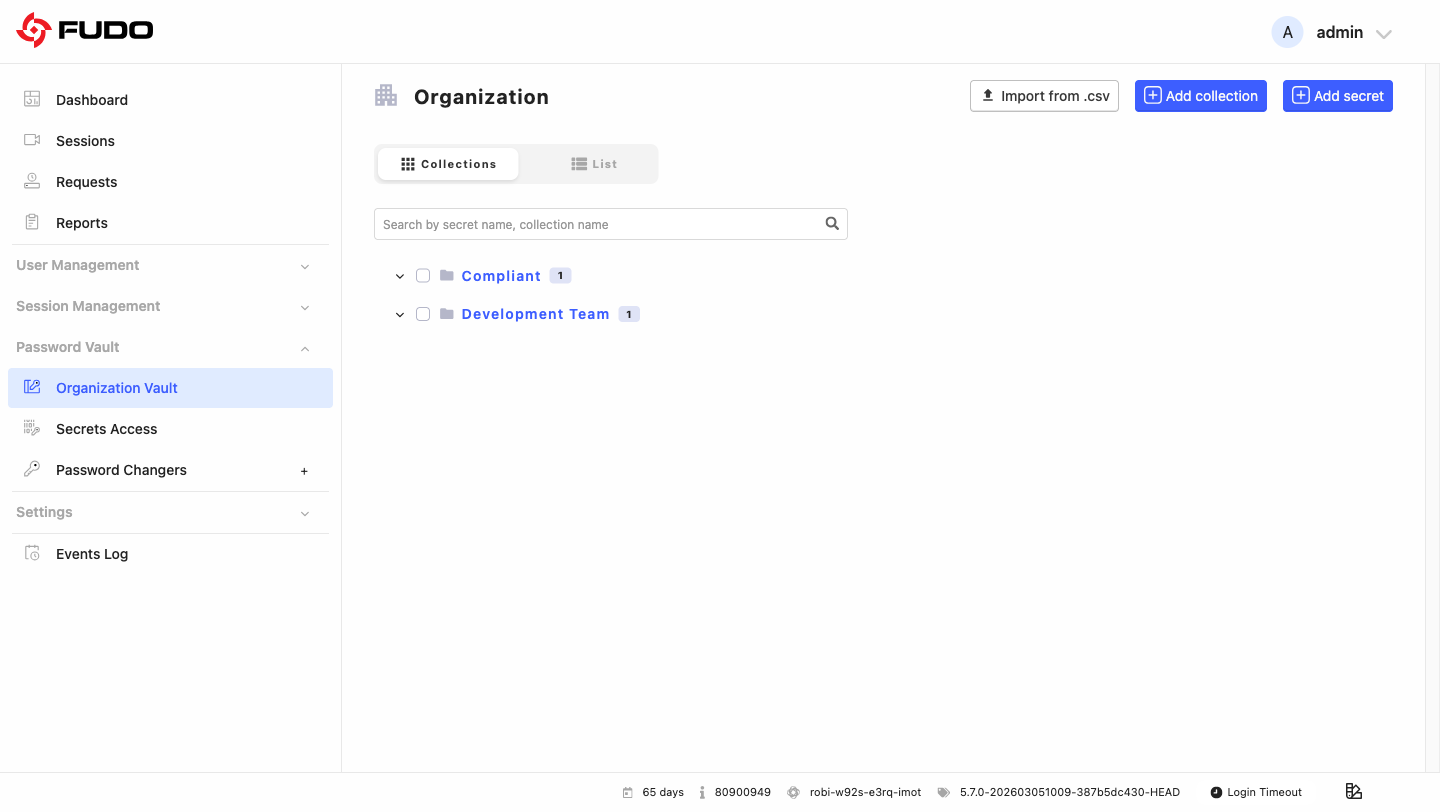
Edit Collection Panel
Clicking on a collection name opens the comprehensive edit panel with the following tabs:
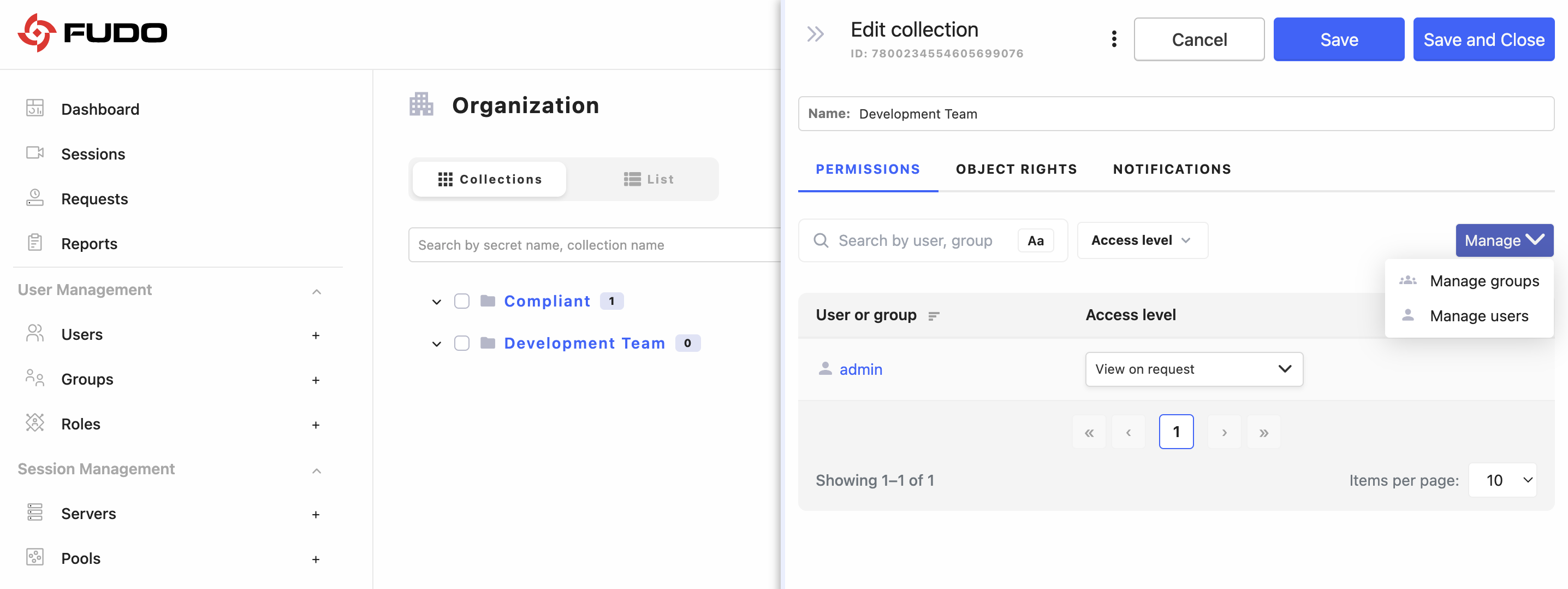
GENERAL SETTINGS
In the general view you can modify the collection name and view the unique collection identifier (read-only).
PERMISSIONS TAB
The PERMISSIONS tab allows you to assign users and groups to the collection and define how they can access the secrets stored in it through the User Access Gateway.
Note
Permissions control visibility of the collection in the User Access Gateway and define what users can do with the secrets stored in it. Depending on the assigned permission level, users can view secrets on request, view secrets directly, edit existing secrets, and add new secrets to the collection.
Note
A more detailed description of collection permissions is available in the Assigning Users and Groups to Collections section.
OBJECT RIGHTS TAB
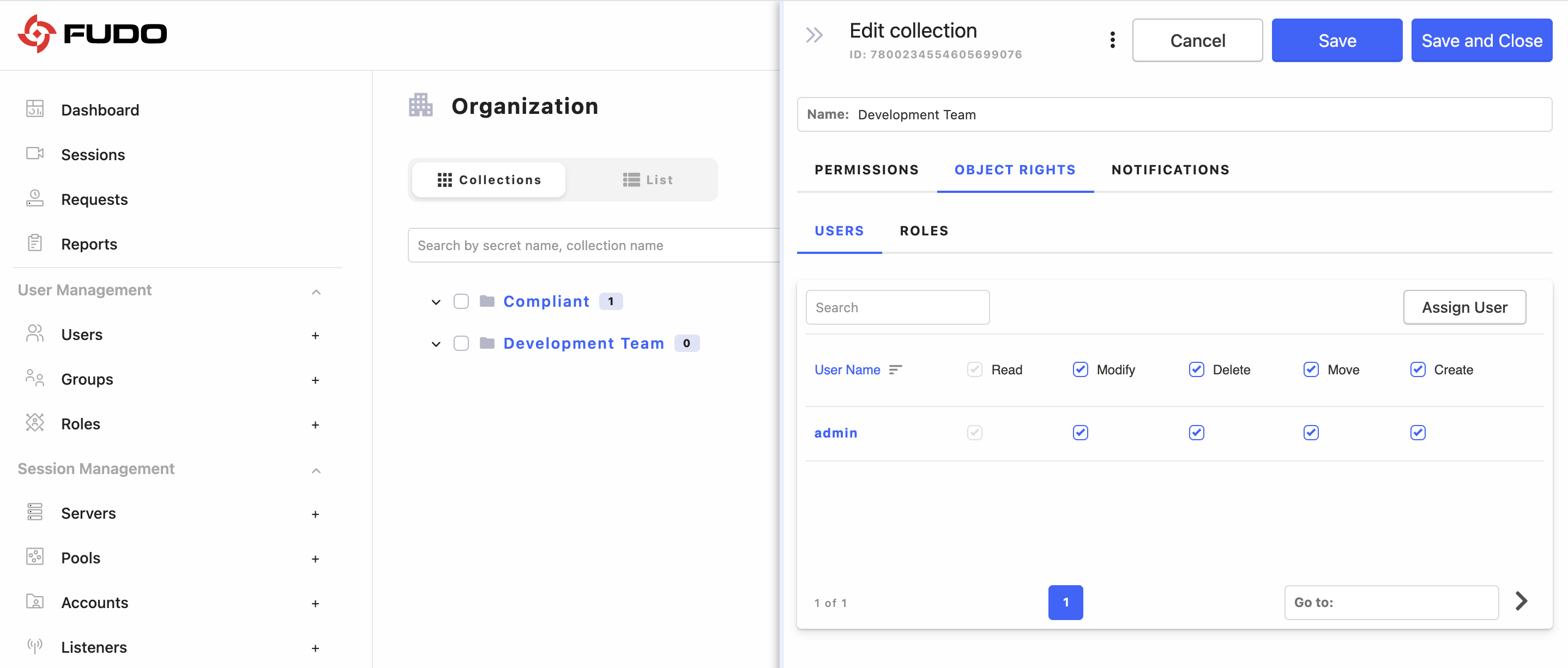
The Object Rights tab is part of the RBAC model and allows you to manage access to the collection as an administrative object.
Note
Object Rights do not make the collection visible in the User Access Gateway. Instead, they define what users and roles are allowed to do with the collection in the Admin Panel, such as viewing, modifying, deleting, moving, or creating objects. When combined with the appropriate Permissions, Object Rights can also allow users to add secrets from the User Access Gateway, in addition to accessing the secrets stored in the collection.
The Object Rights tab provides detailed user and role management:
Users Sub-tab: Assign individual users with specific rights (Read, Modify, Delete, Move, Create)
Roles Sub-tab: Assign organizational roles with appropriate rights
Note
A more detailed description of object rights for collections is available in the Managing Collection Object Rights section.
NOTIFICATIONS TAB
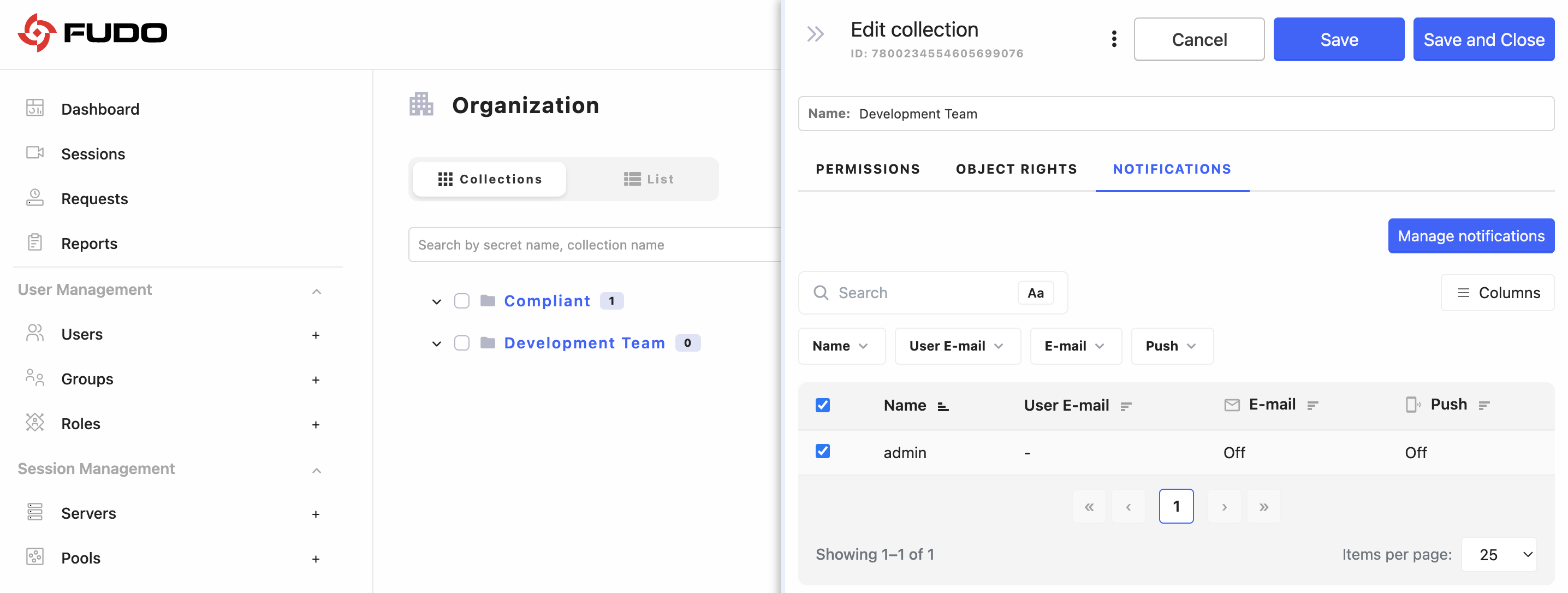
In this tab you can configure notification settings for collection activities:
User Selection: Choose which users receive notifications
Email Notifications: Enable/disable email alerts for collection events
Push Notifications: Configure in-app push notifications
Related topics: