Licensing Model and License Limits
This section describes the licensing model for Fudo Enterprise modules. The ShareAccess license is managed separately and described in the ShareAccess: License section.
Warning
Starting with version 6.0, the licensing model of Fudo Enterprise has been updated.
The previously unified Fudo Enterprise license has been divided into three independent modules:
Privileged Session Management (PSM)
Password Vault (PV)
ShareAccess
Each module is licensed separately and have its own expiration date and usage limits. For more information, see the Limit of Active Users subsection.
Licensed Modules
The platform includes the following licensed modules:
Privileged Session Management (PSM) - Represents the core functionality that was previously covered by the Fudo Enterprise license, including privileged session proxying, monitoring, and access control.
Password Vault (PV) - Provides secure storage and lifecycle management of credentials such as passwords, SSH keys, API keys, certificates, and secure notes.
ShareAccess - Enables secure and simplified access for third parties, including external vendors, by providing browser-based access to shared resources and streamlining connection and credential handling.
Each module have:
its own expiration date
independent active user limits
additional feature limits
Expiration Date
Each licensed module have a separate expiration date. After the expiration date is reached, functionality of the affected module may be restricted.
Support End Date
Starting with version 6.1, license files include a technical support end date. This date indicates when technical support ends and determines whether the system is eligible for upgrades to newer versions.
Note
Existing license files remain valid in Fudo Enterprise 6.1
If the license file does not include the support end date, the support status is displayed as Unknown
An expired support end date or Unknown support status blocks upgrades to future Fudo Enterprise versions
Before upgrading beyond Fudo Enterprise 6.1, contact Fudo Presales team to obtain a license file that includes the support end date
Number of Cluster Nodes
The license specifies the number of nodes that can be part of a cluster. If this number is exceeded, the additional nodes will reject connections and log appropriate events in the system logs.
Available Servers
The license determines how many servers can be added to the system. Once this limit is exceeded, it is not possible to add new servers or modify existing ones.
Limit of Active Users (PSM Module)
Number of active users defines how many users can establish sessions to servers using the Privileged Session Management (PSM) module.
Note
A user is counted as active if they have started at least one session within the last 30 days.
A license slot is released automatically when a user has no session activity for more than 30 days.
If the licensed limit has already been reached, only users who were already active within the last 30 days can continue to establish sessions. Users who have not been active during that period cannot start new sessions until a license slot becomes available.
Following actions are not restricted by the active user limit:
Logging into the Admin Panel is always allowed. This prevents administrators from being locked out of the system due to license limits.
Users authenticated through ShareAccess are not counted against the PSM Module active users limit.
Note
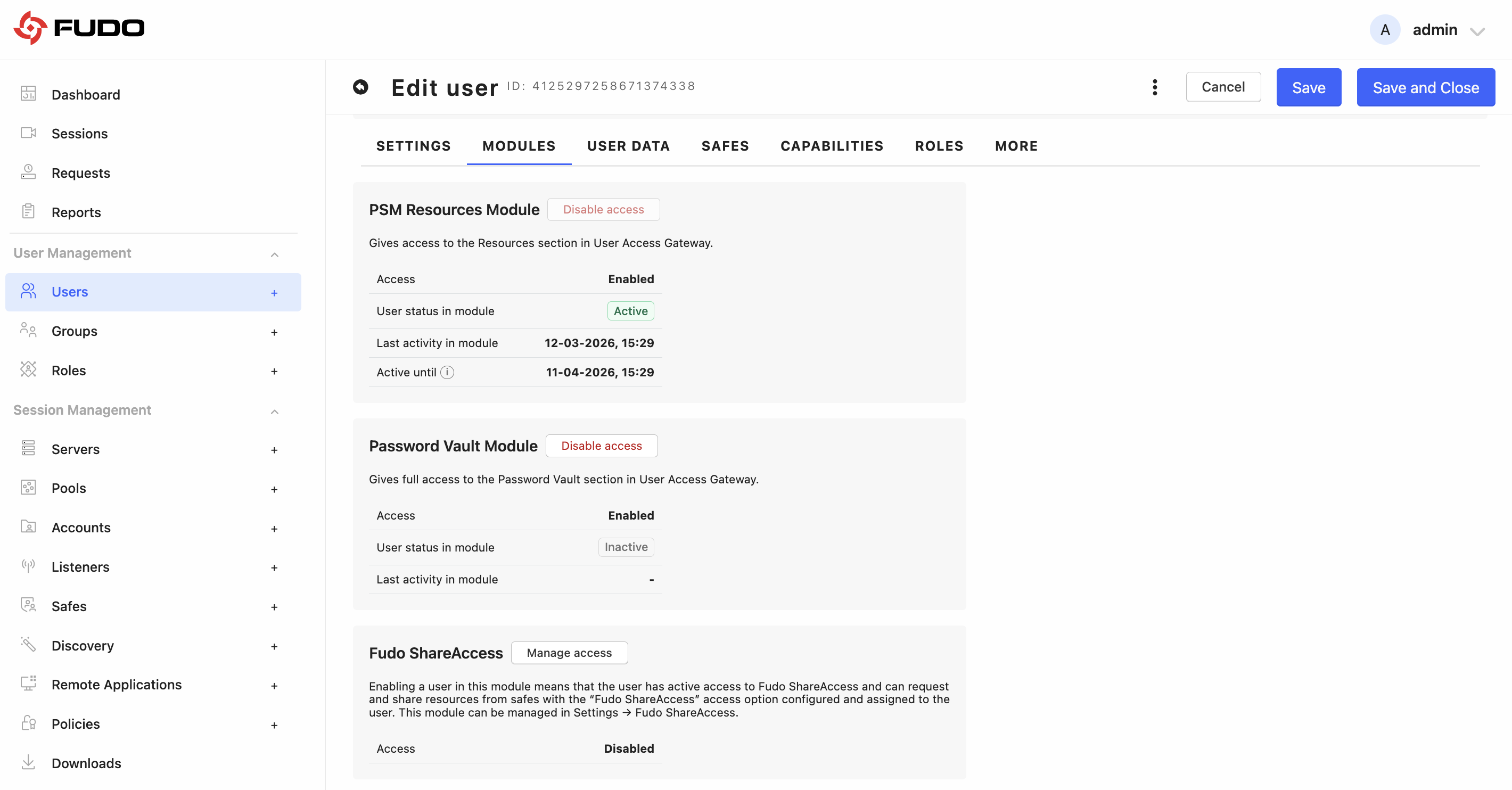
You can view each user’s license consumption status in the user edit form, on the Modules subtab.
Limit of Active Users (PV Module)
The Password Vault license includes a separate active user limit, independent of the PSM module. This limit applies only to Password Vault operations.
Limitations of the Password Vault Basic License
Password Vault module is available in both full and limited license variants.
The full license provides access to the complete Password Vault functionality, including unrestricted collection management, full secret management, all supported secret types, full collection permissions, and global policy configuration.
The basic license includes selected restrictions. In this variant:
administrators cannot create child-level collections or create secrets in child-level collections.
Full access permissions for collections are not available for users and groups, and only View and View on Request permissions can be assigned.
Global Password Vault policy configuration and policy compliance status are also unavailable.
Secret creation is limited to Login, SSH Key, and Note types.
Disabling a Module for a User
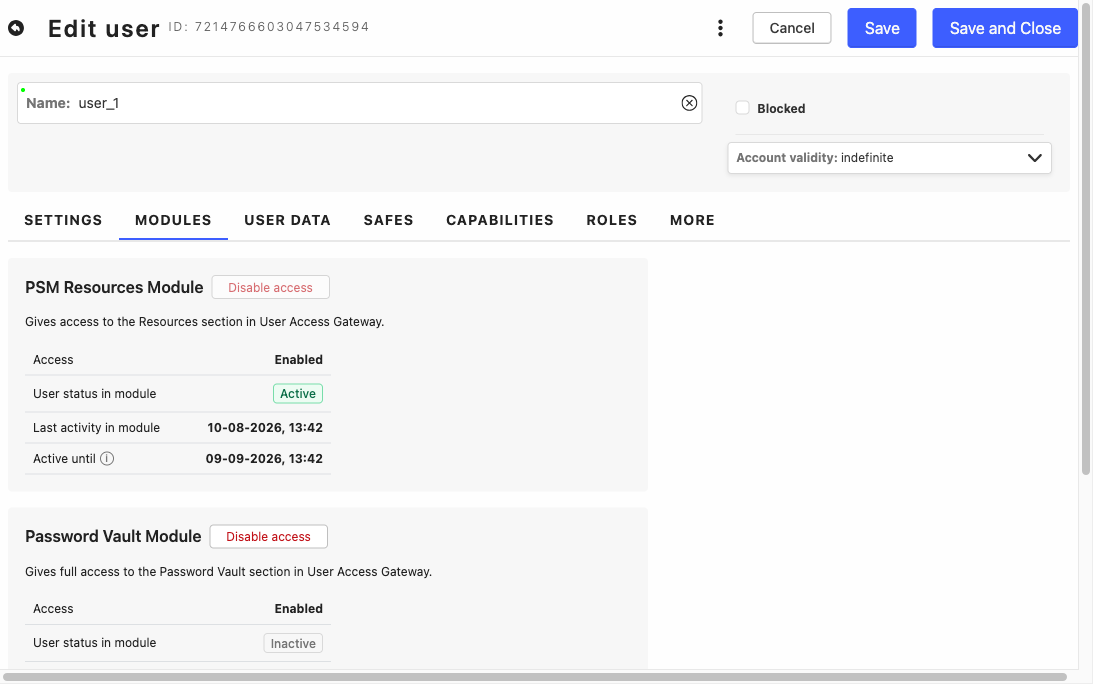
Access to the PSM and Password Vault modules can be turned off for an individual user, independently of the license limits described above. A user whose module is disabled does not see that module’s section in the User Access Gateway, and every operation of that module is rejected by Fudo Enterprise, including when it is called directly through the API.
Select > and edit the selected user by clicking on their name.
Go to the Modules subtab.
On the PSM Resources Module or Password Vault Module card, click . Click to restore the access.
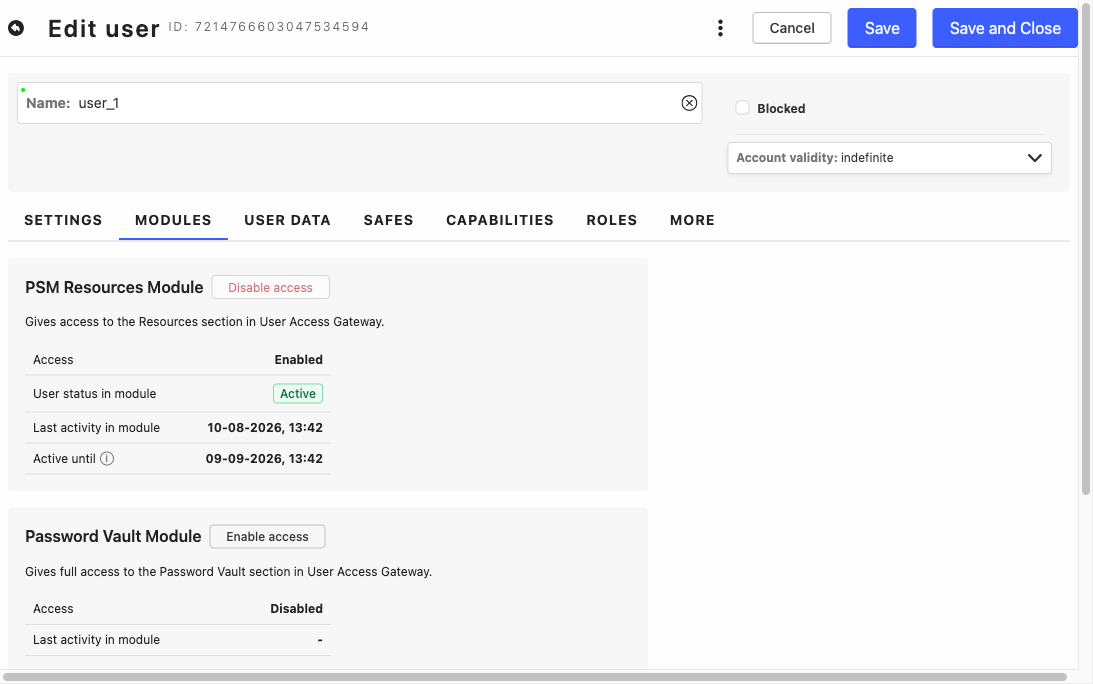
A module disabled for the user shows Access: Disabled and an button:
Warning
The change takes effect immediately, at the moment the button is clicked. It is not saved together with the rest of the form, and leaving the form with Cancel does not undo it - to restore the access, click Enable access.
Note
The Disable access button is unavailable while the user’s User status in module is Active, so a module can only be disabled for a user who is currently inactive in it. To cut off a user who is active, block the whole account instead.
The Fudo ShareAccess card on the same subtab is informational only - that module is managed in > .
What the user sees
In the User Access Gateway the section of a disabled module is greyed out and cannot be clicked. Pointing at it displays the message This module is disabled for your account. Contact your administrator. Entering the address of the section directly in the browser gives the same result - the section does not open.
Warning
Access to a disabled module is withdrawn immediately and does not depend on the 30-day activity period described in the Limit of Active Users subsection. That period governs the counting of license slots, not permissions, so a user who established a session within the last 30 days also loses access to the module as soon as it is disabled.
Note
Disabling the PSM module does not affect ShareAccess, which is licensed separately. A user whose PSM module is disabled can still use ShareAccess.
If, at the moment the module is disabled, the user holds a secret checked out from the personal vault or taken by a native client, that secret cannot be checked in until it expires or the module is enabled again. A secret checked out from the organization vault can be checked in by an administrator.
Availability of the Productivity Module
The availability of the Productivity module is determined by the license file. At the customer’s request, the availability of this module can be disabled — for example, to comply with legal requirements in countries that restrict the monitoring of employee productivity.
Note
The Productivity module is available by default, and existing license files remain fully compatible.
For the list of functionality that is unavailable when the module is disabled, see the Productivity section.
License Management Privileges
The following privileges are required to manage licenses:
license-read– allows viewing license informationlicense-upload– allows uploading or deleting license files
Note
For details about viewing license information, see the License Information and Management section.
Related topics: