Diagnostics
System diagnostics module enables executing basic system command, such as ping, netcat or traceroute.
To run a diagnostic utility, proceed as follows.
Select > .
Select the Diagnostics tab.
Find desired utility, provide necessary parameters and click i.
Command/parameter |
Description |
|---|---|
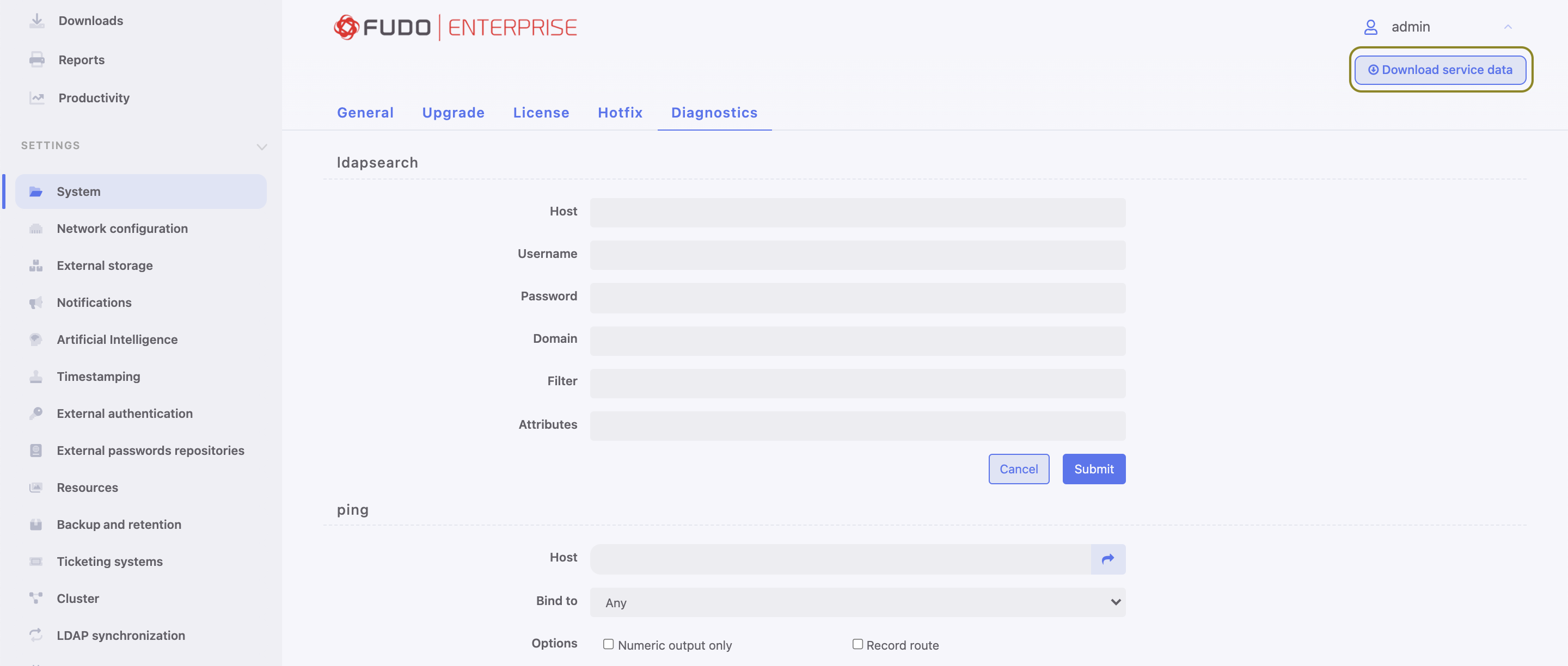
ldapsearch |
LDAP search allows querying LDAP server for objects. |
Host |
LDAP server IP address. |
Login |
Login of the user allowed to browse the directory. |
Password |
Password of the user allowed to browse the directory. |
Domain |
Directory domain to query. |
Filter |
Objects filtering parameter. |
Attributes |
LDAP search attributes. |
Ping |
Ping sends a sequence of 10 ICMP packets to selected host. |
Numeric output only |
Does not resolve host’s IP address to its mnemonic name. |
Record route |
Enables tracking packets’ route. |
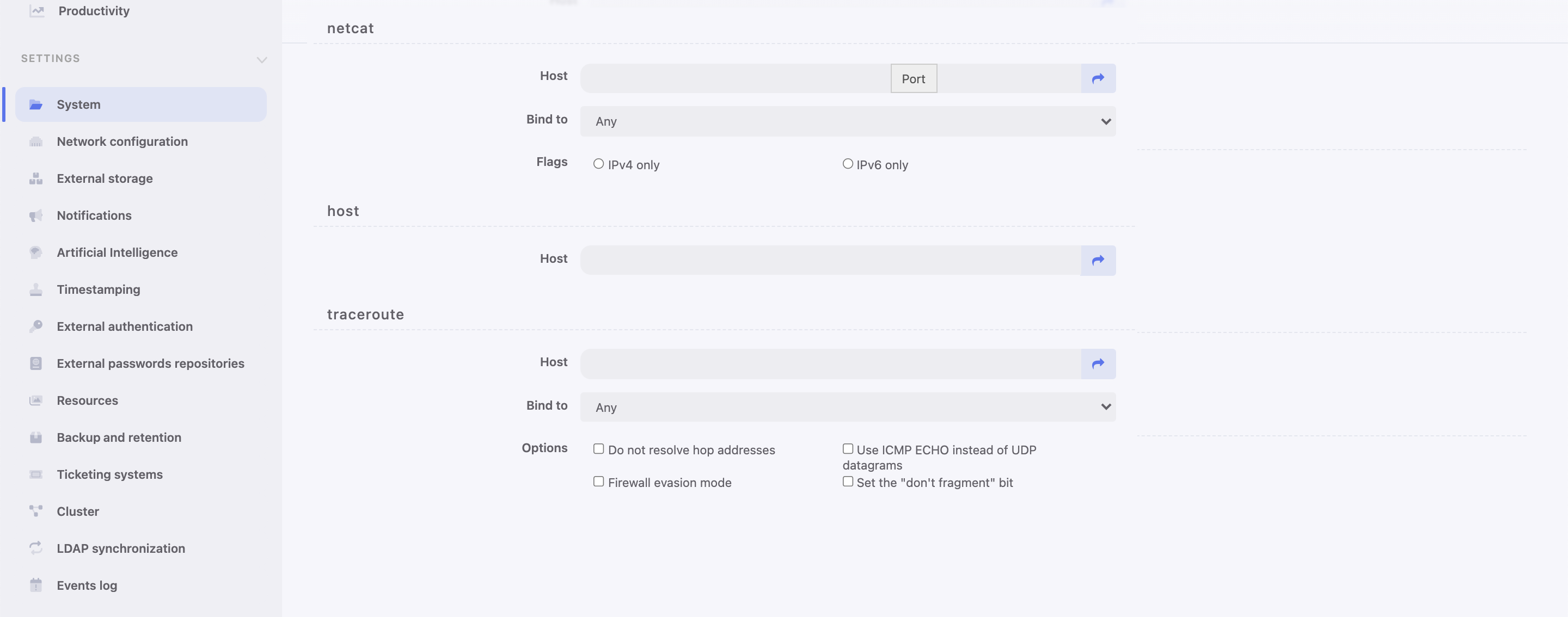
netcat |
|
host |
|
traceroute |
|
Do not resolve hop addresses |
Subsequent hop IP addresses are not resolved to mnemonic names. |
Use ICMP ECHO instead of UDP datagrams |
Enforces |
Firewall evasion mode |
Enforces the same port numbers for UDP and TCP packets. Target port is not incremented with each packet sent. |
Set the “don’t fragment” bit |
Disables packet fragmentation in case the packet exceeds defined MTU (Maximum Transmission Unit) value defined for the network. Exceeding the MTU value results in an error. |
Related topics: